Why your profile matters more than your website
A Google Business Profile is the free listing that represents your business on Google Search and Google Maps — hours, photos, reviews, directions, and a call button in a single card. For local searches, the map pack sits above regular results, which means this profile is usually seen before your website. Many customers never click through at all: they check hours, look at photos, read reviews, and tap “Call” or “Directions” straight from the profile.
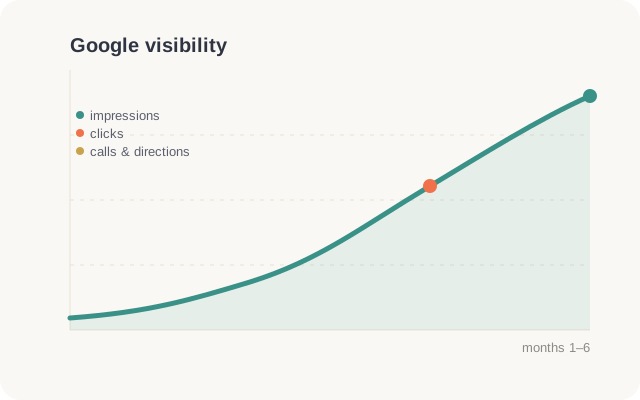
The scale surprises most owners. One of our clients' profiles collected 141K views and appeared in 88K Google searches over six months. The urgency is Google's own finding: 76% of people who search for something nearby on their phone visit a business within 24 hours, and 46% of all Google searches carry local intent. That is why Google Business Profile optimization is the first project we run for every local client — the audience is already there.
Claiming and verifying your profile
Start at google.com/business and search for your business first — a profile may already exist from Google's own data or customer activity, and you want to claim it rather than create a duplicate. Duplicates are a common suspension trigger later.
Video verification is now the default for most businesses: you will film your storefront, signage, equipment, and proof you can access the premises. Use your exact real-world business name — “Golden Dragon Restaurant,” not “Golden Dragon Restaurant | Best Dim Sum NYC.” Stuffed names get suspended. Service-area businesses without a storefront can hide their address and list service areas instead.
Two edge cases worth knowing. If you run multiple locations, each one needs its own profile with its own local phone number. And in practices — dental, medical, legal — the business and each public-facing practitioner can hold separate profiles, as long as names and categories are kept distinct. Set these up deliberately; accidental duplicates are the messiest cleanup job in local SEO.
Categories: the highest-leverage setting
Your primary category is the strongest ranking signal on the entire profile. Choose the most specific one that fits: a hand-pulled noodle shop should pick “Noodle shop,” not “Chinese restaurant,” and definitely not “Restaurant.” Check what primary category the businesses currently ranking in your map pack use — that is your benchmark.
Secondary categories extend your reach into related searches. A nail salon that also does waxing should add “Waxing hair removal service.” Add every category you genuinely serve and none you do not — mismatched categories are another suspension trigger.
Categories also unlock features: restaurants get menu and reservation links, salons get booking buttons, service businesses get quote requests. If a feature you expected is missing from your dashboard, the category is usually why.
Description, hours, and attributes
The description field gives you 750 characters; the first 250 matter most because that is what shows before the cut-off. Say what you do, where you do it, and who you do it for in plain language — “Family-run Sichuan restaurant in Flushing serving hand-made dumplings and dry pot since 2015” beats any keyword list.
Keep hours exact, including holiday hours — wrong hours are the fastest route to one-star reviews. Then fill every attribute that applies: languages spoken, wheelchair accessible, women-owned, payment types. Attributes are searchable filters, and “Mandarin spoken” wins customers on its own.
One field owners always skip: the opening date. Filling it costs nothing and lets Google show “Years in business” — a trust signal customers absorb even when they do not consciously notice it. And if you serve customers in Chinese, say so in the description itself; in neighborhoods like Flushing and Sunset Park it is one of the most-searched attributes there is.
Photos that convert
Profiles with plentiful real photos consistently earn more calls and direction requests than sparse ones. Prioritize: the storefront shot from the street (customers literally use it to find your door), interiors, your team at work, and your best-selling dishes or finished projects.
Add a handful of new photos every month — Google favors recency, and customers distrust profiles whose newest photo is three years old. Never use stock photography; locals can tell, and Google may remove it.
Set your cover photo deliberately — Google sometimes overrides it, but a strong storefront or signature-dish shot usually holds. Short videos under 30 seconds also display prominently on mobile profiles, and almost none of your competitors upload any: a quick walkthrough of the dining room or a service in progress is an easy edge.
Products, services, and posting cadence
The services section lets you list each service with a description and price range — fill it out completely, because Google matches these entries against “near me” searches. Retailers and restaurants should use products: photos with prices give customers a reason to choose you before they ever visit.
For posts, weekly is the cadence to hold. A post's visibility fades in about seven days, so one post every week beats five posts once a month. Rotate offers, events, new arrivals, and finished work.
Wire up the action links too: reservation and online-order links for restaurants, booking links for salons and clinics, quote requests for service businesses. Every action a customer completes without ever leaving the profile is a conversion your competitors' bare listings cannot capture.
Q&A seeding and review responses
The Q&A section is public and anyone can answer — including strangers answering wrong. Seed it yourself: from any account, ask the five questions customers always call about (parking, reservations, insurance, languages, delivery), then answer each from your owner account. You have now turned a liability into a sales page.
Respond to every review within 48 hours. Thank happy customers and mention the service and neighborhood naturally — those replies are indexed. For negative reviews: stay calm, state facts briefly, and offer to resolve it offline. Future customers judge you by the reply more than the review.
Make the ask effortless, too: your dashboard has a short review link under “Ask for reviews” — put it in a QR code at the counter and in follow-up texts. Steady velocity, a few new reviews every month, reads as organic; fifty in one week followed by silence reads as purchased.
The 15-minute weekly routine
Optimization is a one-time project; staying visible is a habit. This weekly routine keeps a profile healthy in about 15 minutes:
Businesses that hold this cadence for 3–6 months routinely pull ahead of competitors with older, bigger, but dormant profiles — recency is the signal owners underrate most.
- Publish one post — an offer, an event, a finished job, or a seasonal note.
- Reply to every new review; anything older than 48 hours is overdue.
- Add 2–3 fresh photos from the week's actual work.
- Check the Q&A tab for new questions — answer before a stranger does.
- Whenever a holiday is within two weeks, confirm your holiday hours are set.
Suspensions, and tracking what works
The common suspension causes are predictable: keywords stuffed into the business name, a virtual office or PO box used as an address, categories that do not match the actual business, duplicate profiles, and large sudden batches of edits. If you get suspended, fix the violation first, then appeal with documents — business license, utility bill, storefront photos.
Prevention beats appeal, though: make big edits gradually, keep your documents current, and never let a marketing vendor “optimize” your business name field. Reinstatement can take weeks — weeks in which every call goes to a competitor instead.
Finally, measure. The profile's performance report shows calls, direction requests, and the queries people used. Add UTM parameters to your website link — ?utm_source=google&utm_medium=organic&utm_campaign=gbp — so your analytics separates profile traffic from regular organic and you can see exactly what this free listing earns you.
If you would rather hand it off
Everything in this guide is doable yourself — Google's own help center documents every step. If you would rather spend those hours running your business, Wintra manages Google Business Profiles for New York businesses with years of experience across 100+ local clients: setup, weekly posts, Q&A seeding, and review replies in native English and Chinese, plus a monthly performance report in plain language. Profile management is one of the 8 services we run, plans start at $159 per month, and we answer every inquiry within 6 hours. Email contact@wintrabiz.com and we will look at your profile and tell you honestly what needs fixing — even if the answer is “not much.”